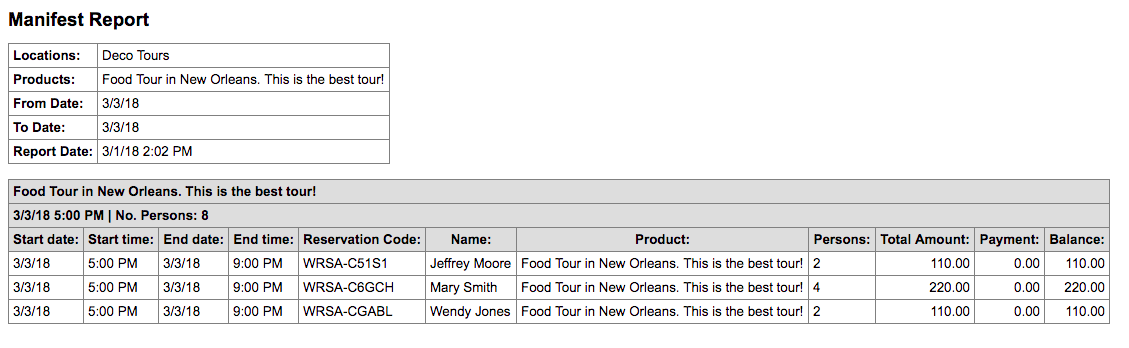
The Manifest Report is great for businesses that need a daily look at who is booked for a given day(s). It helpful when assigning guides to your tours, or ensuring you have enough staff on hand for your rentals.
To access this report, go to Frontdesk – Reports – Manifest Report.
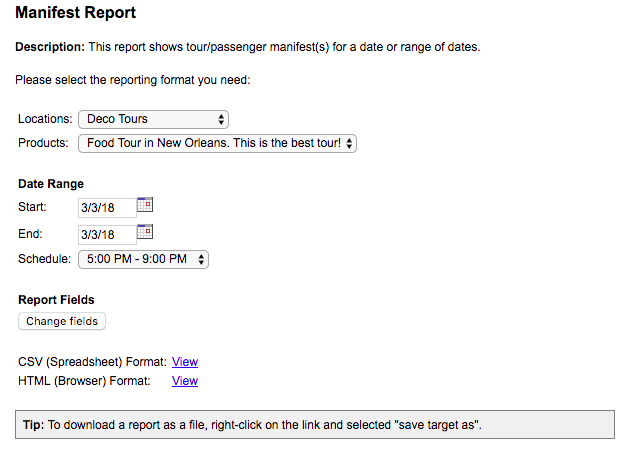
Customize the report:
- Select which tour/rental (Products) you want to view.
- Enter the date range.
- Pick a time slot (Schedule), if applicable.
- Select Change Fields to customize columns in the report.
- Choose to download into a CSV (spreadsheet) or open in a new window (Browser)
Click View to run the report. See below shown in the HTML format.